Corporate Roll Up Banner Template: A Practical Guide to Effective Branding and Marketing
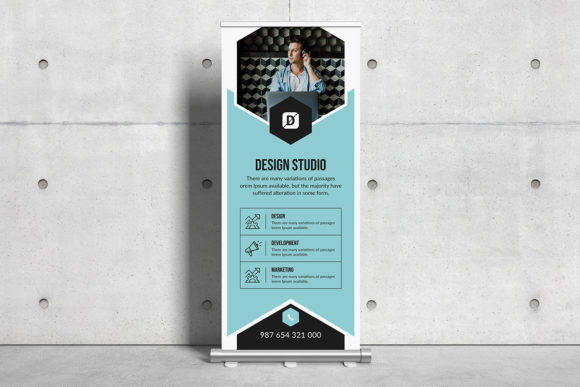
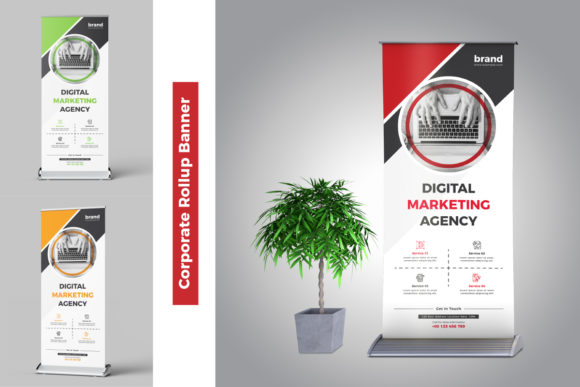
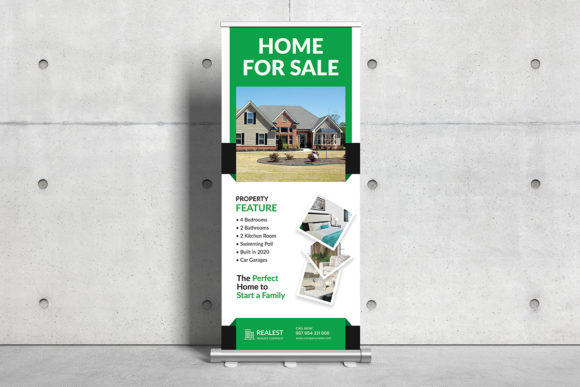
A Corporate Roll Up Banner Template is a powerful design tool that allows businesses and professionals to create visually appealing promotional banners for events, trade shows, presentations, and more. These templates are typically built in Adobe Photoshop (PSD) format, ensuring high quality, print readiness, and full customization. When designed properly, they can serve as a cornerstone of your marketing materials, helping you communicate brand identity clearly and professionally.
Understanding the Role of a Corporate Roll Up Banner Template
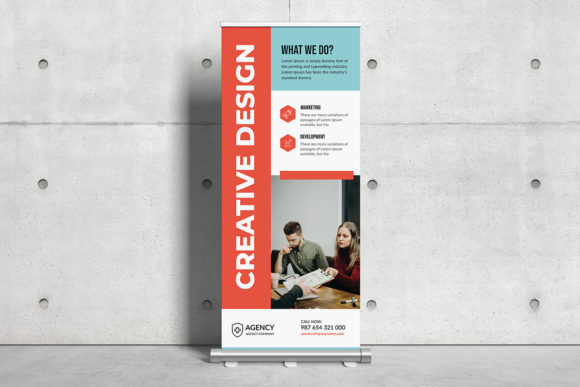
Roll-up banners are commonly used in corporate environments due to their portability, durability, and ability to make a strong visual impact. A corporate roll up banner template provides a structured base with pre-designed elements such as color schemes, layout guides, and branding placeholders. This makes it easier for users to focus on content and messaging rather than starting from scratch.
The template fits into the broader marketing and event preparation process by streamlining the design phase. Instead of hiring a designer or spending hours creating a banner from nothing, you can use an existing template to produce a polished look quickly. This is especially useful when time is limited or when multiple banners need to be created for different purposes but under a unified brand theme.
Preparation Before Using the Template
Before diving into the design process, take some time to plan what you want to achieve with your banner. Consider these key factors:
- Objective: What message should the banner convey? Is it for promoting a product, announcing an event, or reinforcing your company’s brand?
- Target Audience: Who will see this banner? The design should reflect the tone and preferences of your intended viewers.
- Dimensions: Most corporate roll up banner templates come in standard sizes like 30 x 70 inches with a 0.25” bleed, which ensures proper printing without unwanted cut-offs.
- Brand Guidelines: Ensure that all colors, fonts, and logos align with your company's established style guide for consistency across all marketing assets.
Once you’ve gathered this information, you’re ready to customize your template. Open the PSD file in Adobe Photoshop, where you’ll find organized layers, smart objects, and editable text fields—making it easy to adjust without compromising quality.
Customization During the Design Process
One of the most significant advantages of using a corporate roll up banner template is its fully layered and editable nature. Here’s how you can make the most of it:
- Edit Text Easily: All headlines and body copy are in separate text layers, so changing the wording is straightforward.
- Adjust Colors: The template uses CMYK color mode for accurate printing. You can modify background colors, accents, or gradients to match your brand palette.
- Replace Logo and Images: Since the logo and images are placed as smart objects, you can swap them out with your own visuals while maintaining resolution and quality.
- Use Google Fonts: The template includes access to free and popular Google Fonts, which means you don’t have to install additional font files to keep your design consistent and professional.
It’s important to note that while the template is comprehensive, the actual photos used in the preview mockups are not included. Users must source their own images or replace the placeholders with relevant ones. However, since everything is well-organized, inserting new graphics becomes a simple task.
Integration Into Broader Workflows
A corporate roll up banner doesn't exist in isolation. It often complements other marketing tools and strategies. For example:
- Event Promotion: Pair the banner with digital flyers, social media posts, and email campaigns to maintain a cohesive look at conferences or exhibitions.
- Trade Show Materials: Use the same template structure for handouts, brochures, and signage to reinforce brand recognition.
- Internal Presentations: Customize the banner for internal meetings or client pitches, ensuring a professional appearance across all touchpoints.
When integrating a banner into your workflow, consider how it interacts with your team. If you're working with a designer or outsourced creative agency, providing them with a solid template can speed up the approval process and reduce revisions. Similarly, if you're managing a project yourself, having a clear template helps you stay focused on the message rather than the mechanics of design.
Workflow Examples and Use Cases
Here are a few practical examples of how you might implement a corporate roll up banner template in your work:
Example 1: Trade Show Setup
You're preparing for an upcoming industry conference and need a banner for your booth. Using the corporate roll up banner template, you can quickly update the company name, tagline, and event details. Because it's already optimized for print with 150 DPI resolution, you can send it directly to a printer without worrying about quality issues. This saves both time and money during setup.
Example 2: Product Launch Campaign
For a new product launch, your marketing team decides to create a series of promotional materials. The banner serves as the centerpiece, and the template’s smart object features allow each team member to add their version of the product image or slogan. This collaborative approach ensures everyone stays aligned with the campaign’s visual identity.
Example 3: Educational Workshops
If you're an educator or trainer organizing workshops, the banner can be used to advertise sessions. With the template’s clean layout and customizable text, you can reuse it for multiple events simply by updating the title, date, and location. This is a great way to maintain a consistent look across various promotions.
Factors to Consider for Long-Term Use
To ensure the corporate roll up banner template remains a valuable asset over time, consider the following:
- Organization: Keep your edited versions saved in a dedicated folder or cloud space. Label each version clearly to avoid confusion later.
- Compatibility: Confirm that all team members have access to Adobe Photoshop or compatible software. If not, consider converting the final design to JPEG or PDF for sharing.
- Usability: Test the printed version before mass production to check alignment, color accuracy, and overall readability.
- Quality Control: Review the final output to ensure no layers were accidentally merged or deleted. Maintaining layer integrity allows for future edits or repurposing.
- Efficiency: Save frequently used variations of the template as presets or custom styles to streamline future projects.
By keeping these factors in mind, you can maximize the value of your template and reduce the risk of errors or inconsistencies down the line.
Best Practices for Implementation
Here are some tips to help you get the most out of your corporate roll up banner template:
- Start Early: Don’t wait until the last minute to design your banner. Give yourself enough time to make adjustments and seek feedback if needed.
- Stick to Your Brand Identity: Even though the template offers flexibility, resist the urge to deviate too far from your established brand guidelines. Consistency is key to building trust and recognition.
- Test Different Layouts: If you're unsure about the design, create a few variations based on the template. Compare them side by side to choose the best one.
- Use High-Quality Images: Since the original stock photos aren’t included, make sure your replacements are also high-resolution and suitable for print.
- Export Correctly: When exporting for print, always select CMYK mode and verify the resolution is set to 150 DPI. For web use, export in RGB format and lower resolution to optimize loading times.
Why Choose a Professional Template?
While there are many free banner designs available online, a corporate roll up banner template stands out because it's specifically tailored for business use. Unlike generic templates, it includes features such as proper bleed settings, scalable smart objects, and a layout that works well for large-format printing. These aspects contribute to a more polished and professional outcome.
Additionally, because the template is made with Adobe Photoshop, it leverages advanced design capabilities that are difficult to replicate in simpler tools. From vector-based elements to non-destructive editing options, the template supports a level of detail and precision that enhances the final product.
Conclusion
A corporate roll up banner template is more than just a design file—it's a strategic component of your marketing toolkit. When used correctly, it can save time, improve brand consistency, and deliver a professional result every time. Whether you're a marketer launching a campaign, an entrepreneur setting up a booth at a convention, or a small business owner looking to enhance your visibility, this template can help you achieve your goals efficiently and effectively.
By understanding how it fits into your workflow, preparing ahead of time, and leveraging its full range of features, you can turn a basic design file into a powerful marketing asset. Just remember to keep your content focused, your branding consistent, and your expectations realistic. With those principles in place, your next banner is sure to leave a lasting impression.